Workaround de como fazer para habilitar o sudo no iTerm e também pedir cofirmação no iWatch
Basicamente edite o arquivo sudo, como super user em /etc/pam.d/sudo, e adicione na primeira linha o texto auth sufficient pam_tid.so, conforme abaixo:
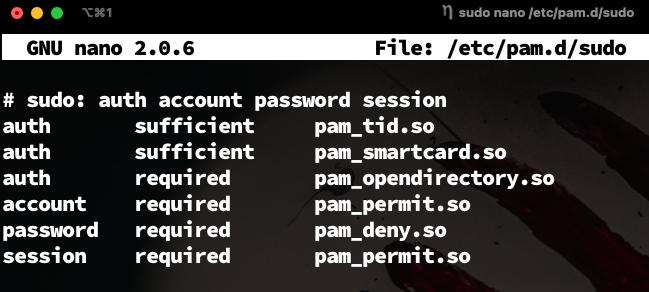
Feito isso no iTerm, vá para Prefs -> Advanced -> Allow sessions to survive logging out and back in e configure o value para no, conforme abaixo:
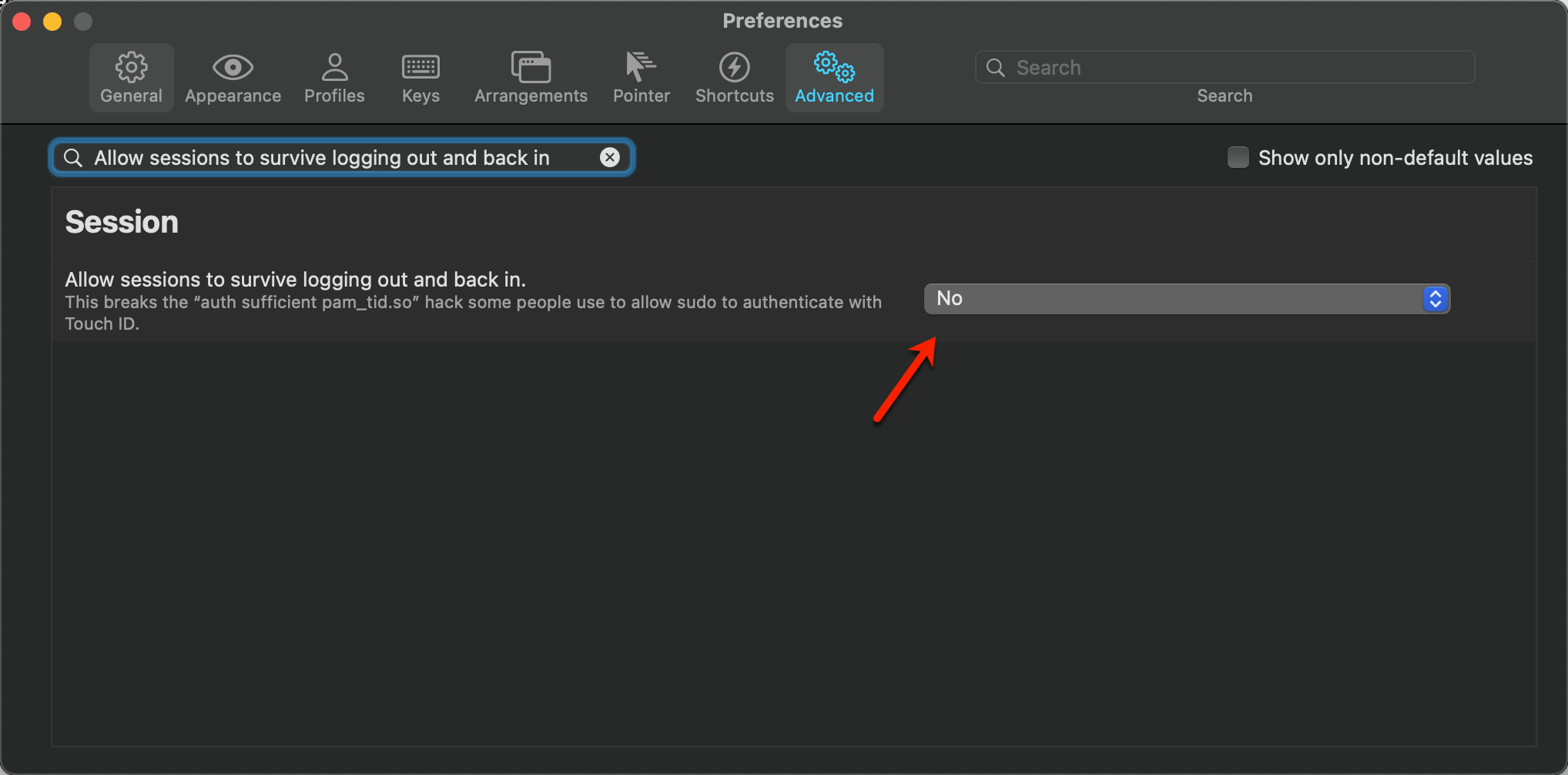
Depois disso é só reiniciar o iTerm e sucesso!, já vai começar a funcionar e pedir confirmação no iWatch…
cya! 🎶🎶🎶
| Todas Tags |
| Cheats |
16
|
| DevOps |
15
|
| MacOS |
7
|
| Shell |
6
|
| Continuous Learning |
5
|
| Automation |
4
|
| Git |
4
|
| Azure |
3
|
| Managed Services |
3
|
| Pensamentos |
3
|
| PowerShell |
3
|
| AppleScript |
2
|
| Aws |
2
|
| ITIL |
2
|
| Microservices |
2
|
| PlatformEngineer |
2
|
| SRE |
2
|
| Webserver |
2
|
| Ansible |
1
|
| Apple |
1
|
| Billing |
1
|
| Brokerage |
1
|
| Cloud Computing |
1
|
| CloudOps |
1
|
| Containers |
1
|
| Continuos Learning |
1
|
| DevSecOps |
1
|
| Docker |
1
|
| Engineering |
1
|
| Github |
1
|
| Gitlab |
1
|
| Google Script |
1
|
| Hugo |
1
|
| Internet |
1
|
| Kubernetes |
1
|
|
1
|
| Markdown |
1
|
| Nginx |
1
|
| Observabilidade |
1
|
| OpenSSL |
1
|
| Proxy Pass |
1
|
| Serverless |
1
|
| Sysadmin |
1
|
| Terraform |
1
|